Compliance and audits
Export an audit-ready pack
When an assessor asks for your calibration records, Axiospec assembles them into a single, downloadable pack. This guide shows you how to generate the audit pack, verify your ledger, and pull individual certificates so you can hand over clean, traceable documentation.
Start in the Audit Center
The Audit Center (Audit Center in the left nav, route /manager/audit-center) is where you compile evidence for a regulator or auditor and review recent export activity. It has two cards you will use most: Ledger Integrity and Generate Audit Archive.
Open it before an audit so you can verify your records are intact and produce the pack in one place. Everything generates on demand, so the pack always reflects your current data at the moment you export.
Verify the ledger chain first
Calibration records are written to a tamper-evident, hash-chained ledger. The Ledger Integrity card walks that chain for every committed calibration record in your workspace and reports any entry that was altered after it was approved.
Running this before you export gives you a clean integrity result to point to, and confirms there are no surprises in the records you are about to hand over.
- In the Audit Center, find the Ledger Integrity card.
- Click Verify ledger chain.
- Read the result. A valid chain reports the number of committed calibration entries verified end-to-end, with the time it was checked.
- If a mismatch is reported, note the flagged ledger entry and contact support@axiospec.com, since an altered committed record is a security-sensitive event.
Generate and download the audit pack
The audit pack is a single ZIP archive built on demand. It contains two files: a Calibration Audit Report (audit_summary.pdf) and a manifest (audit_manifest.csv) that lists your assets and ledger entries.
- In the Audit Center, go to the Generate Audit Archive card.
- Click Generate Compliance Archive. The button shows progress while the documents compile.
- When the download starts, save the ZIP file. It also appears in Recent Exports with a Download action for later retrieval.
- Open the ZIP and confirm both files are present before sharing it with your assessor.
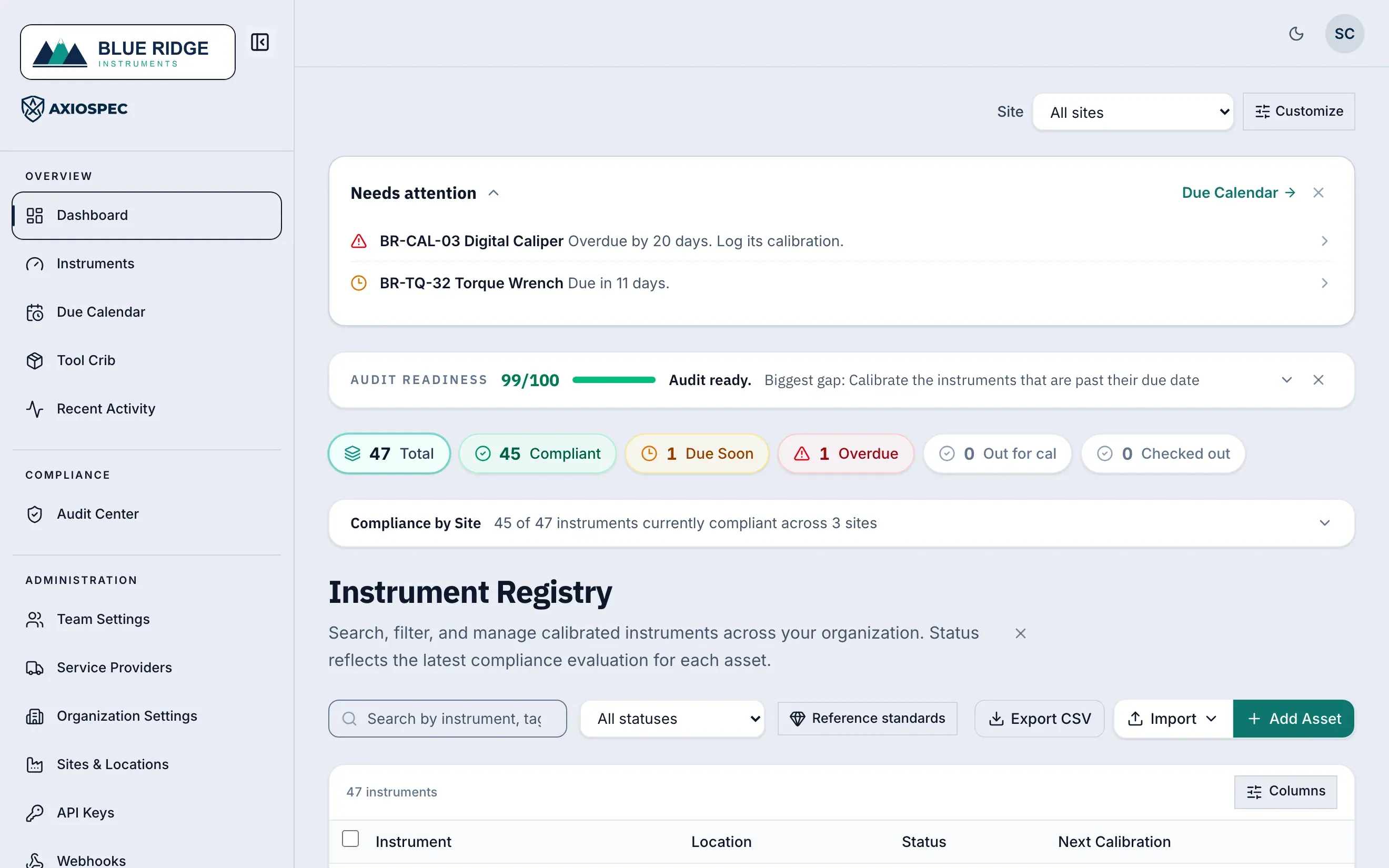
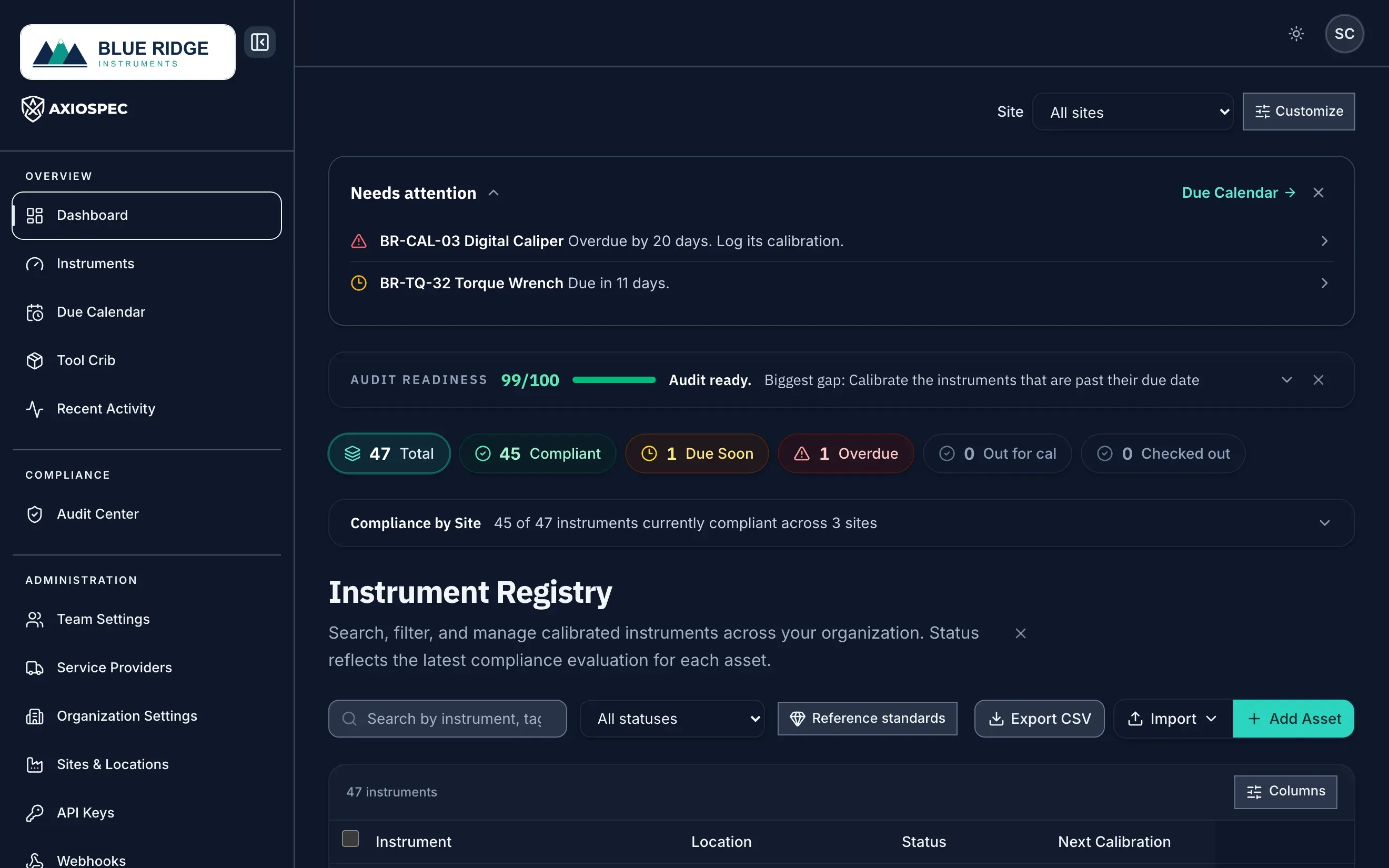
- 1 Select Export Audit Trail to generate the pack (also available in the Audit Center).
- 2 Set the scope first: all sites, or a single site.
- 3 The pack summarizes these counts: compliant, due soon, and overdue.
What is inside the pack
The Calibration Audit Report PDF gives an assessor a readable narrative of your program, and the manifest CSV gives them the underlying data to filter and cross-check.
- Status summary: a dashboard count of total assets broken down by In Tolerance, Due Soon, Overdue, and failed items.
- Integrity and verification: the result of walking the tamper-evident ledger, including the number of entries verified and the chain's head and genesis hashes.
- Calibration trail: each ledger entry with the asset, event, status, who performed it, when it was performed, and the Pass / Fail / Limited / Adjusted result.
- Out-of-tolerance items: a dedicated section listing assets and events with Fail, Limited, or damaged results, with as-found and as-left readings.
- Sign-offs: an asset roster with owners, procedures, intervals, and next-due dates, plus the performed-by and approval attribution carried through the records.
- Manifest CSV: one row per asset and one row per ledger entry, covering tags, serials, site and location, workspace custom fields, results, readings, uncertainty and decision-rule columns, reference standards, certificate numbers, and the record and previous hash values for each entry.
Download a single asset's certificate
When an auditor wants documentation for one specific instrument, you do not need the whole pack. Each asset has its own Certificate of Calibration, generated from its latest approved calibration.
The certificate is laid out in three sections: Instrument (tag, manufacturer, model, serial, location, interval), Calibration (performed date, result, nominal value, tolerance, as-found and as-left readings, reference standard, environment, certificate number), and Attestation (performed by, approval, and approval time). It also carries the tamper-evident record hash.
- Open the Asset Ledger (route /manager/asset-ledger) and select the instrument to open its detail page (/manager/asset-ledger/:id).
- In the page header, click Download Certificate.
- Save the PDF when it is ready.
- If you see a message that there is no approved calibration to certify yet, log and approve a calibration for that asset first, then try again.
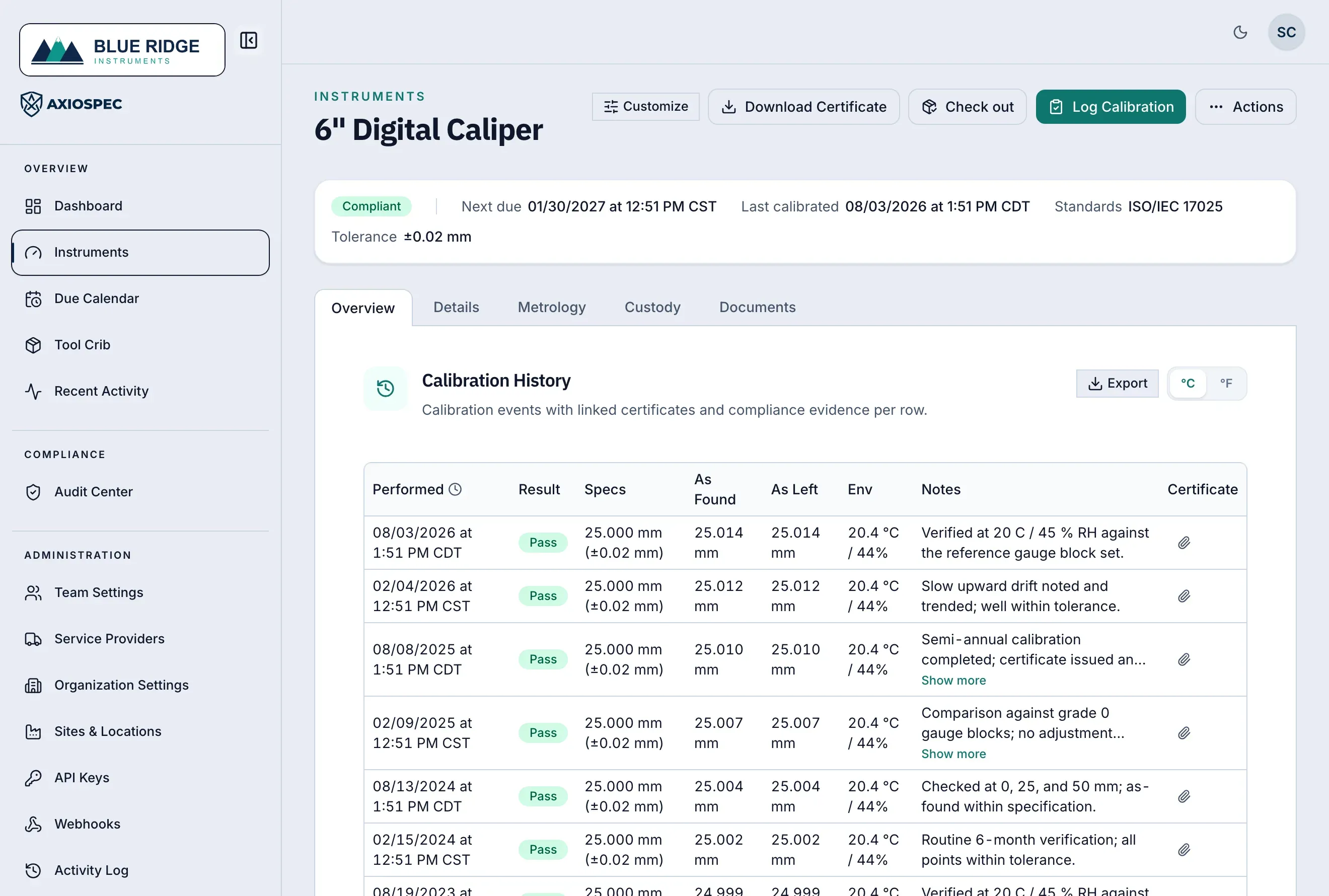
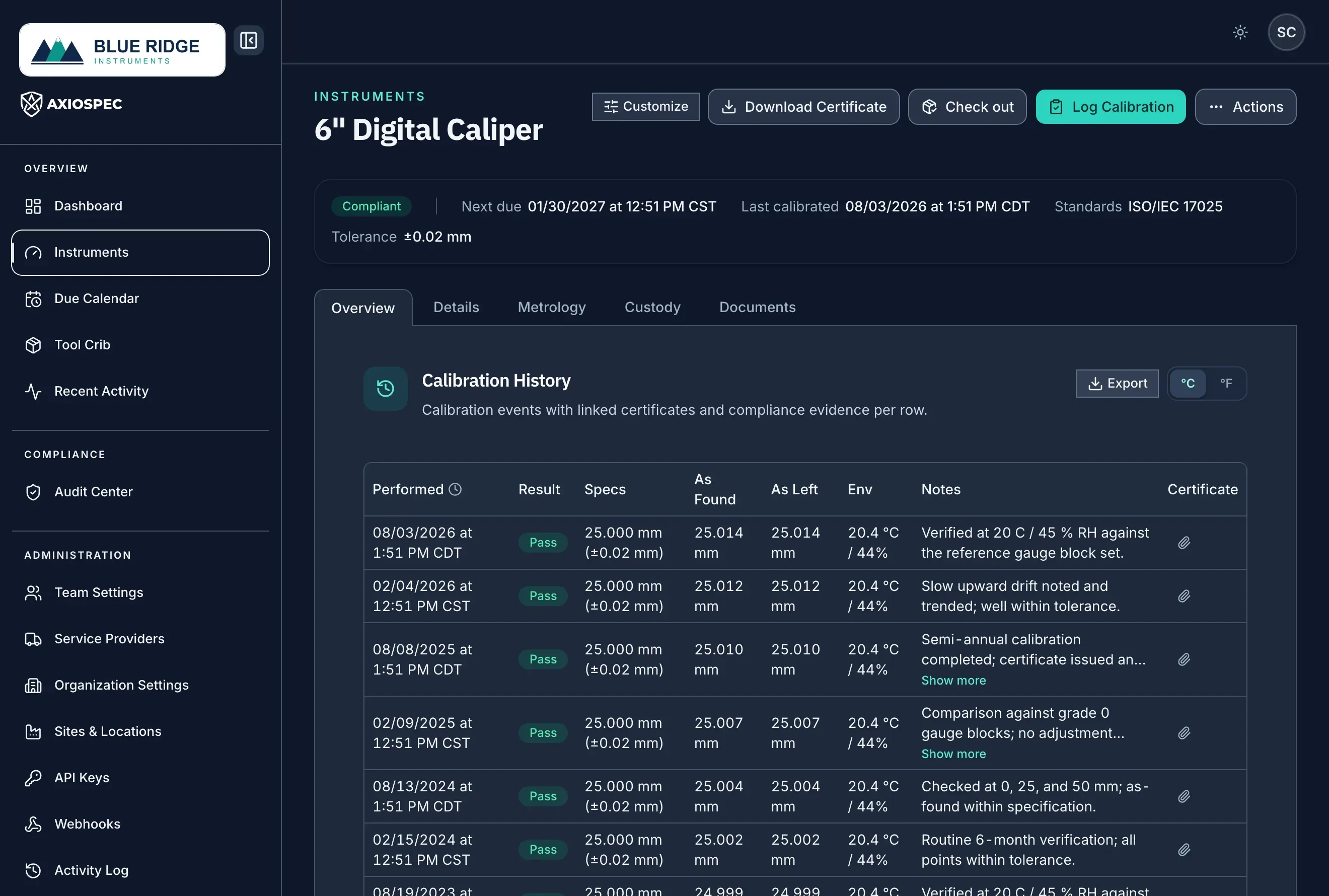
- 1 Download a single instrument's Certificate of Calibration as a PDF.
- 2 The full calibration trail for the instrument, with a linked certificate per row.
- 3 Current status, last calibration, due date, and tolerance spec.
Scope the pack by date or site
Auditors usually care about a defined window or a single facility. You can narrow what goes into your evidence so the pack matches the scope being assessed rather than your entire history.
Scope by date by aligning the records you present to the audit period, and use the calibration trail and manifest CSV (which carry the performed and exported timestamps) to filter to the dates in question. Scope by site by working from a single facility's assets, since every asset, certificate, and manifest row carries its site and location so a multi-site workspace can present one site at a time.
- By date: rely on the performed-at timestamps in the calibration trail and the manifest CSV to bound the records to the audit window.
- By site: each row and certificate is tagged with its site and location, so you can present the records for the facility under review.
What the pack does and does not do
Axiospec produces the documentation: traceable, audit-ready records assembled from a tamper-evident ledger with timestamps and e-signatures, and changes that matter routed through a maker-checker approval flow. That gives you consistent, defensible evidence to hand over.
Axiospec does not certify, guarantee, or ensure that you pass an audit. The outcome depends on your own processes, the completeness of the data you have entered, your scope, and your assessor. Treat the pack as the evidence you bring to the audit, not the verdict.
Put it into practice
Got a gage list? Send it over and we load it for you, usually in a couple of business days. Free on every plan. Then log every calibration to a tamper-evident audit trail and produce records on demand.
Axiospec is a documentation and workflow tool. It helps you keep clean, traceable, audit-ready records; certification depends on your own processes, scope, and assessor.
Take the audit-prep checklist with you
The walk-backward checklist auditors actually use, then four short practical emails. No spam, unsubscribe with one click.
First we email you a link to confirm your address. Nothing else comes until you confirm, and you can unsubscribe from any email after that. See our Privacy Policy.